

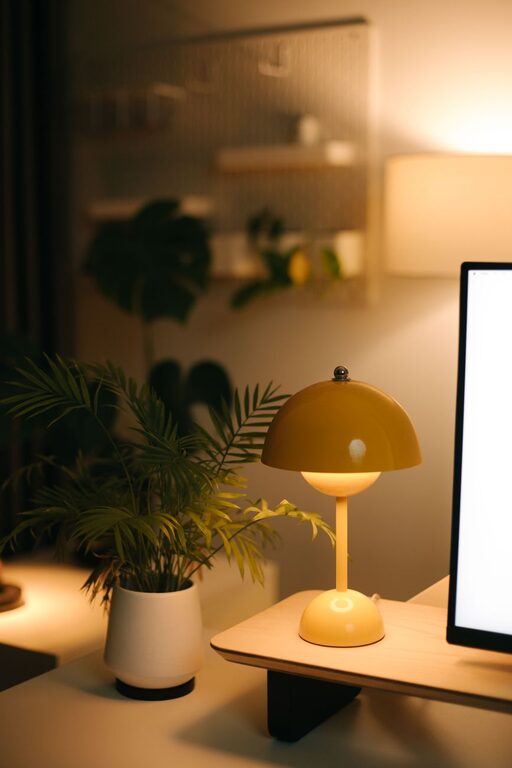
Creating a home office that is both cozy and functional can greatly enhance your work experience, whether you’re working remotely full-time or just need a dedicated space for occasional projects. By thoughtfully combining comfort with practical design, you can make your workspace inviting and efficient. Here are some helpful tips to get you started.
Choose the Right Location
Selecting the best spot in your home is the first step. Ideally, pick a quiet area with minimal distractions and good natural light. A corner in a bedroom, spare room, or even a section of the living room can work well if properly arranged.
Consider These Factors:
– Lighting: Desk near a window is best for daylight. Add a quality desk lamp for darker hours.
– Noise level: Choose a room away from busy household areas.
– Privacy: Ensure you can focus without interruptions.
Invest in Comfortable and Supportive Furniture
Comfort is key in a space where you might spend many hours. A good chair with proper back support and a desk at the right height prevent strain.
Furniture Tips:
– Choose an ergonomic chair adjustable to your height and posture.
– Use a desk with enough surface area for your essentials.
– Consider a sit-stand desk if you want to alternate positions.
Personalize Your Space Without Clutter
Adding touches that make the office feel welcoming promotes a positive mindset.
Ways to Personalize:
– Decorate with plants to add freshness and improve air quality.
– Hang artwork or photos that inspire you.
– Use cushions or rugs to add warmth and texture.
At the same time, avoid overcrowding your desk or shelves to maintain focus.
Organize with Purpose
Good organization minimizes distractions and helps you find what you need quickly.
Organizational Ideas:
– Use shelves or cabinets to keep paperwork tidy.
– Invest in drawer organizers or desk trays.
– Implement a filing system for digital and physical documents.
Regularly declutter to maintain a clean environment.
Optimize Technology Setup
Efficient technology setup is essential to a functional home office.
Tech Tips:
– Position your monitor at eye level to reduce neck strain.
– Use a reliable, fast internet connection.
– Keep cables organized with clips or cable sleeves.
– Consider noise-cancelling headphones if background noise is an issue.
Lighting Matters
Proper lighting reduces eye strain and creates a pleasant atmosphere.
Lighting Suggestions:
– Combine natural light with soft, warm artificial lighting.
– Avoid harsh overhead lights; consider floor or desk lamps.
– Use adjustable lighting to control brightness according to the task.
Create Zones for Different Activities
If space allows, designate zones within your home office for various tasks.
Zone Ideas:
– Workspace zone with your desk and computer.
– Reading or brainstorming area with comfortable seating.
– Storage zone for supplies and documents.
This separation helps keep your workflow organized and prevents fatigue.
Set Boundaries
When working from home, it’s important to separate work time from personal time.
Tips to Set Boundaries:
– Define your office space physically and mentally.
– Communicate your work hours to family members.
– Avoid using your workspace for leisure activities.
Add Comfort Enhancements
Small comfort additions can make long work hours more enjoyable.
Comfort Features:
– A soft throw blanket or cushion for extra coziness.
– Aromatherapy with essential oils or candles for relaxation.
– A small fan or heater for temperature control.
—
By following these tips, you can create a home office that feels welcoming and is tailored to your work needs. Whether you’re tackling daily tasks or creative projects, a cozy and functional space supports productivity and well-being at home. Start with your favorite ideas and adjust as you discover what works best for you!