

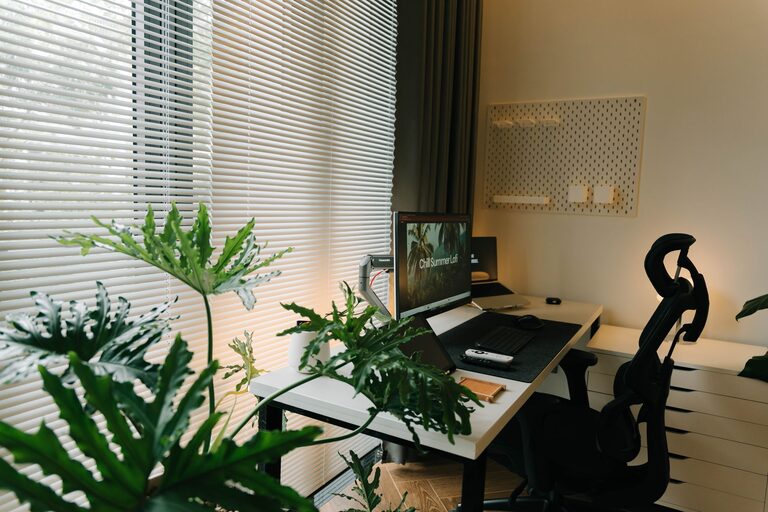
Creating a productive home office space is essential for anyone working remotely or spending significant time on tasks at home. A well-designed workspace can help you focus better, reduce stress, and maintain a healthy work-life balance. This guide offers practical tips to help you set up an efficient and comfortable home office that suits your needs.
Choose the Right Location
Find a Quiet Spot
Select a space in your home that is quiet and free from distractions. Ideally, this should be a separate room or a corner away from heavy foot traffic. Minimizing noise interruptions is key to maintaining concentration.
Consider Natural Light
Natural light can improve mood and energy levels. If possible, place your desk near a window to take advantage of daylight. If natural light is limited, invest in good-quality artificial lighting that mimics daylight.
Invest in Ergonomic Furniture
Comfortable Chair
A supportive chair is crucial for long hours of work. Choose an ergonomic chair that supports your lower back and allows your feet to rest flat on the floor.
Proper Desk Height
Your desk should be at a height where your arms are bent at a 90-degree angle when typing. Adjustable desks or standing desks are great options to vary your working posture throughout the day.
Organize Your Workspace
Declutter Regularly
Keep your desk tidy by organizing cables, paperwork, and office tools. A clean environment reduces stress and increases efficiency.
Use Storage Solutions
Incorporate shelves, drawers, or filing cabinets to keep essentials within reach but out of sight. Label storage containers to find items quickly.
Minimize Distractions
Limit Technology Interruptions
Turn off notifications on your phone and computer that are not related to work. Use apps or settings that help you focus during work sessions.
Set Boundaries
Communicate your work hours to family or housemates to minimize interruptions. Consider using noise-canceling headphones if background noise is unavoidable.
Personalize Your Space
Add Inspiring Decor
Incorporate elements such as plants, artwork, or motivational quotes to make your workspace inviting and inspiring without adding clutter.
Choose Calming Colors
Colors like soft blues, greens, or neutrals can create a calm atmosphere conducive to focus.
Establish a Routine
Consistent Work Hours
Set specific times to start and finish work. A routine helps your brain transition into “work mode” and improves productivity.
Take Structured Breaks
Use techniques like the Pomodoro method (25 minutes of focused work followed by a 5-minute break) to maintain mental freshness.
Use Technology Wisely
Reliable Equipment
Invest in a good-quality computer, monitor, and high-speed internet connection. This reduces frustration caused by technical difficulties.
Productivity Tools
Use calendars, task managers, and note-taking apps to keep track of your assignments and deadlines.
Prioritize Comfort and Health
Proper Posture
Pay attention to your sitting posture. Keep your back straight and avoid slouching to prevent pain and fatigue.
Stay Hydrated and Move
Keep water nearby and take short breaks to stretch or walk around. Physical movement enhances blood flow, improving concentration and energy.
Final Thoughts
Designing a productive home office space is more than just aesthetics—it’s about creating an environment that supports your work habits and well-being. By paying attention to location, ergonomics, organization, and personal comfort, you can create a workspace where productivity thrives.
Remember, your home office should reflect your unique needs and preferences. Adjust these tips to fit your lifestyle and watch your productivity soar!